How to use AI Apply by refer.me
Set it up once. Then, on any job application, press "Fill it for me", check the answers and press Submit yourself.
Set it up
1. Connect your refer.me account
The extension fills forms from your refer.me profile, so sign in once. You come back to a page that says you're signed in.
Sign in to refer.meNew to refer.me? Create your account →2. Pin it to your toolbar
Click the puzzle-piece icon at the top right of Chrome, then the pin next to AI Apply by refer.me. Its button stays in your toolbar for job sites where refer.me does not offer to help on its own.
Fill your first application

1. Open a job application
On a Greenhouse, Ashby or Lever job page, refer.me offers to help as soon as the application form appears. On other sites, click the refer.me button in your Chrome toolbar.
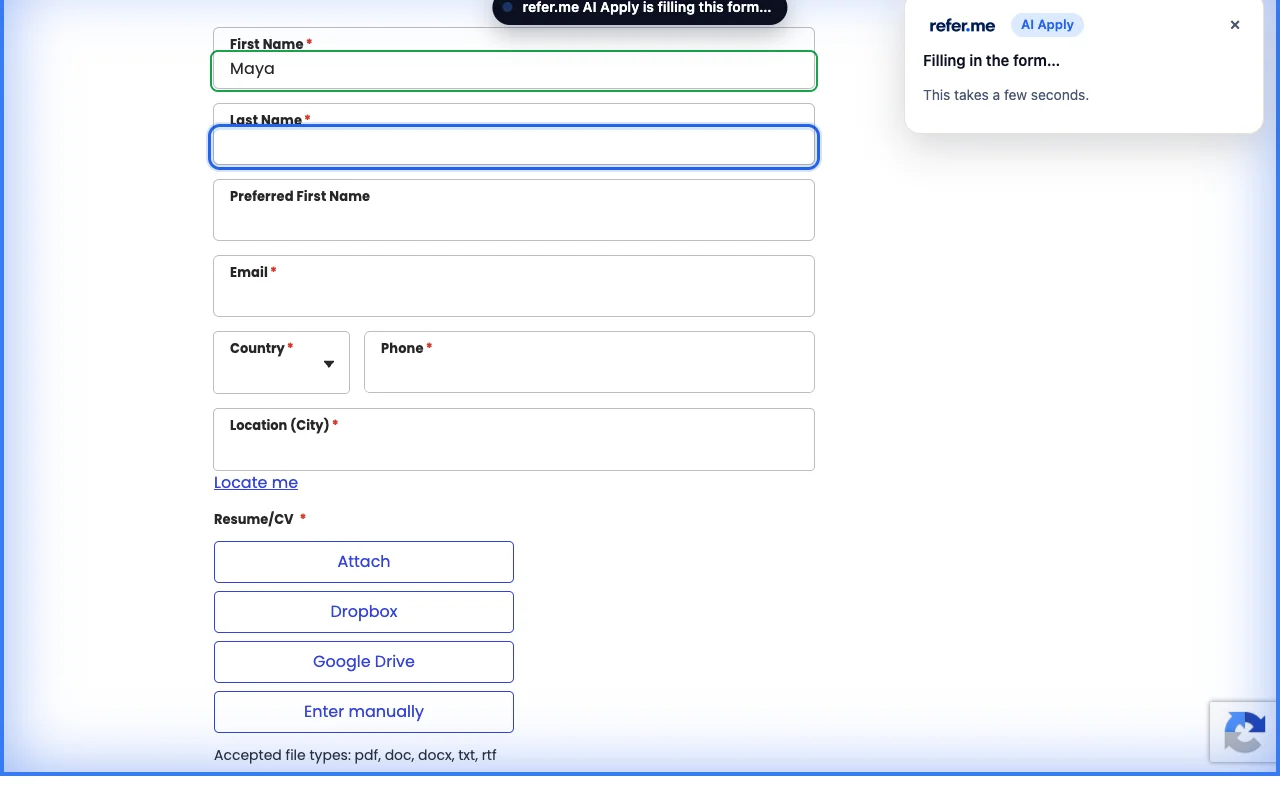
2. Press "Fill it for me"
refer.me fills the form in your own browser from your profile, the answers you saved and your resume. Each field lights up as it is filled.
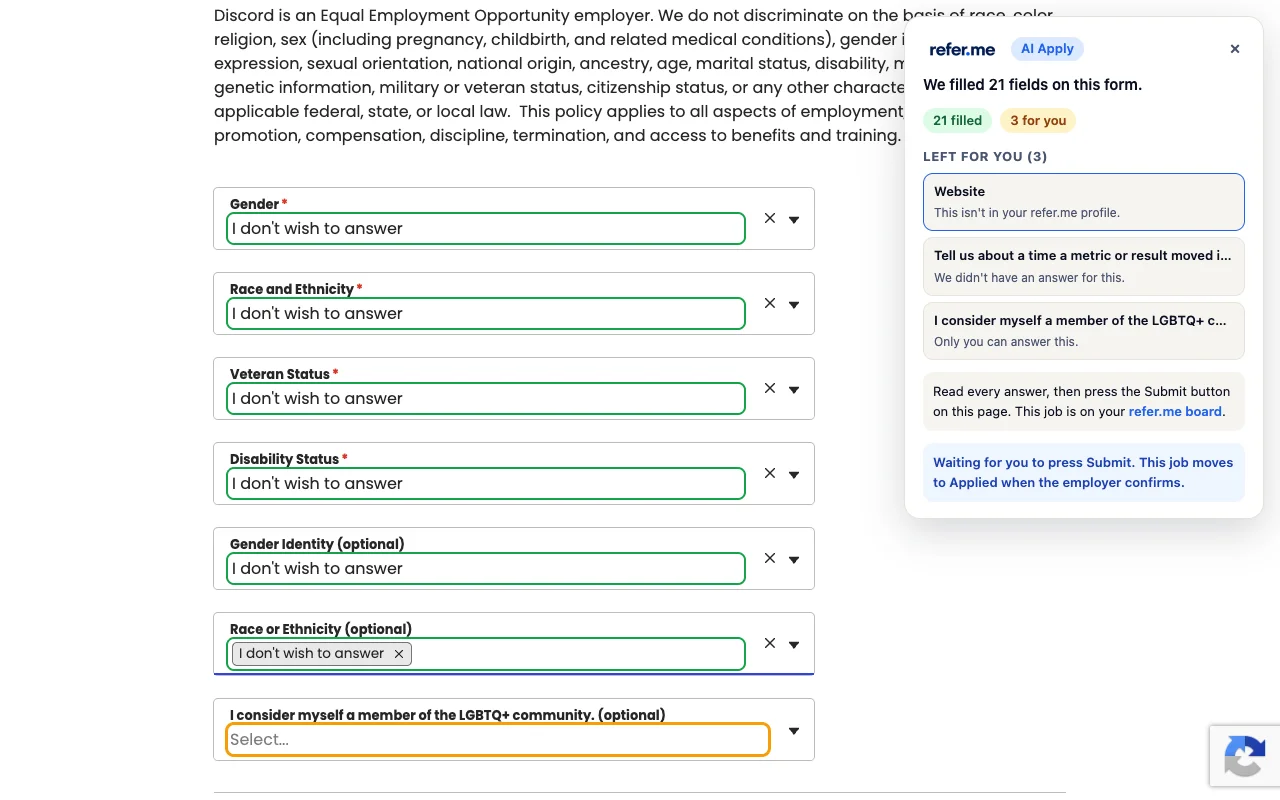
3. Check every answer, then press Submit
The refer.me panel lists anything left for you, such as questions only you can answer. Read the form, finish those and press the employer's Submit button yourself.
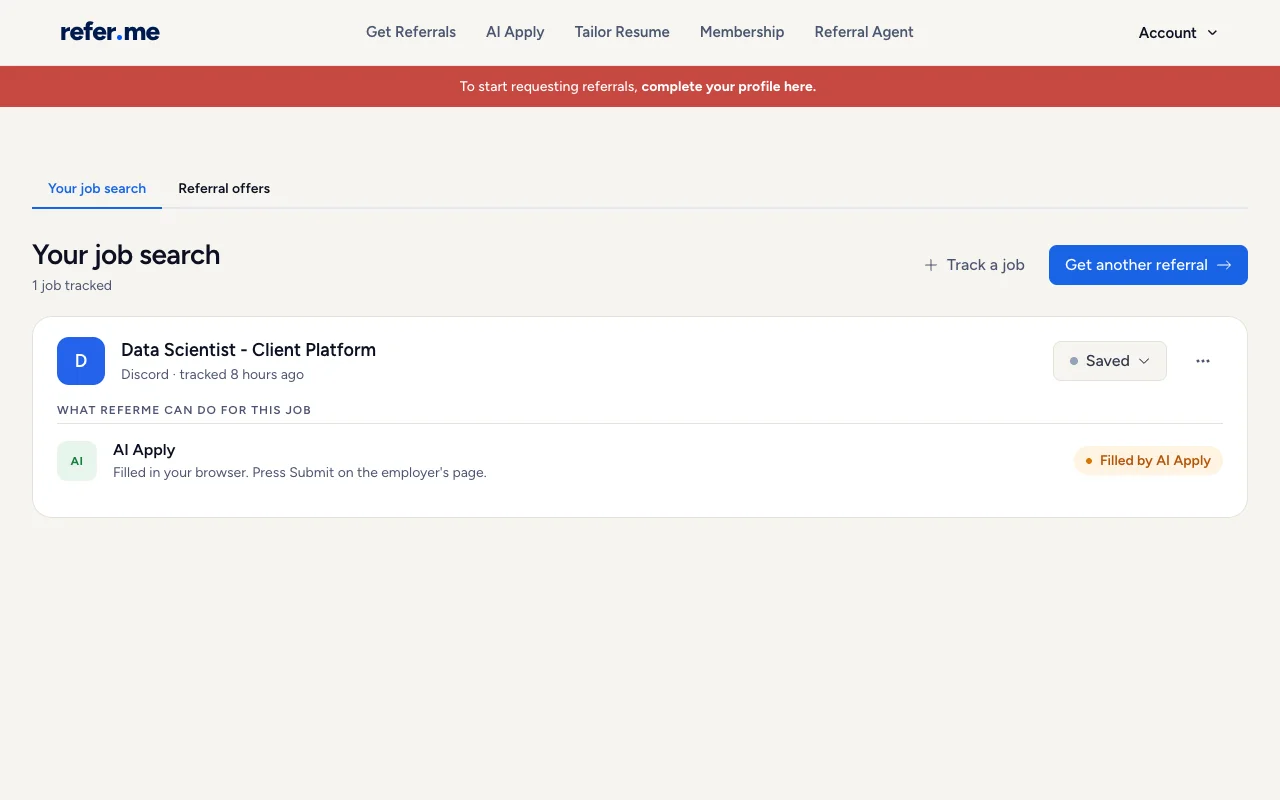
4. Track it on your job board
Every job you fill is saved on your refer.me job board. It moves to "Applied" when the employer confirms your application.
What it costs
Your first application with the extension is free. After that, each new job you fill uses one AI Apply credit: 1 a month on the free plan and 5 a month with Membership. Filling the same job again is free.